
Excel is enough for a service company as long as there are few technicians and few jobs, and one person can keep track of everything. Once several crews work in parallel, service reports have to be retyped, or maintenance gets missed, it's time to switch to field service software. Below we look at what Excel is good for, where its limits are, and how to tell it's time to switch.
Excel isn't a bad choice; many service companies start with it for good reason:
For a one- or two-person business with a few repeat customers and little equipment, that can be enough for a long time.
The trouble starts when the spreadsheet is no longer used by one person in the office but by a whole team, including in the field.
If at least two of these apply to you, Excel probably costs you more time than it saves.
| Excel | Field service software | |
|---|---|---|
| Filling in the service report on site | on paper, retyped later | on the phone, on site |
| Photos and customer signature | handled separately | part of the service report |
| Scheduling and conflicts | checked by hand | the system flags conflicts |
| Routine maintenance | checked by hand | created automatically, with reminders |
| Equipment service history | on a separate sheet, updated by hand | builds automatically from service reports |
| Labor and material usage | totaled afterwards | recorded on site, visible in reports |
| Collaboration, versions | files, versions | one shared system with permissions |
| Reports | flexible but manual | ready-made reports, also exportable to Excel |
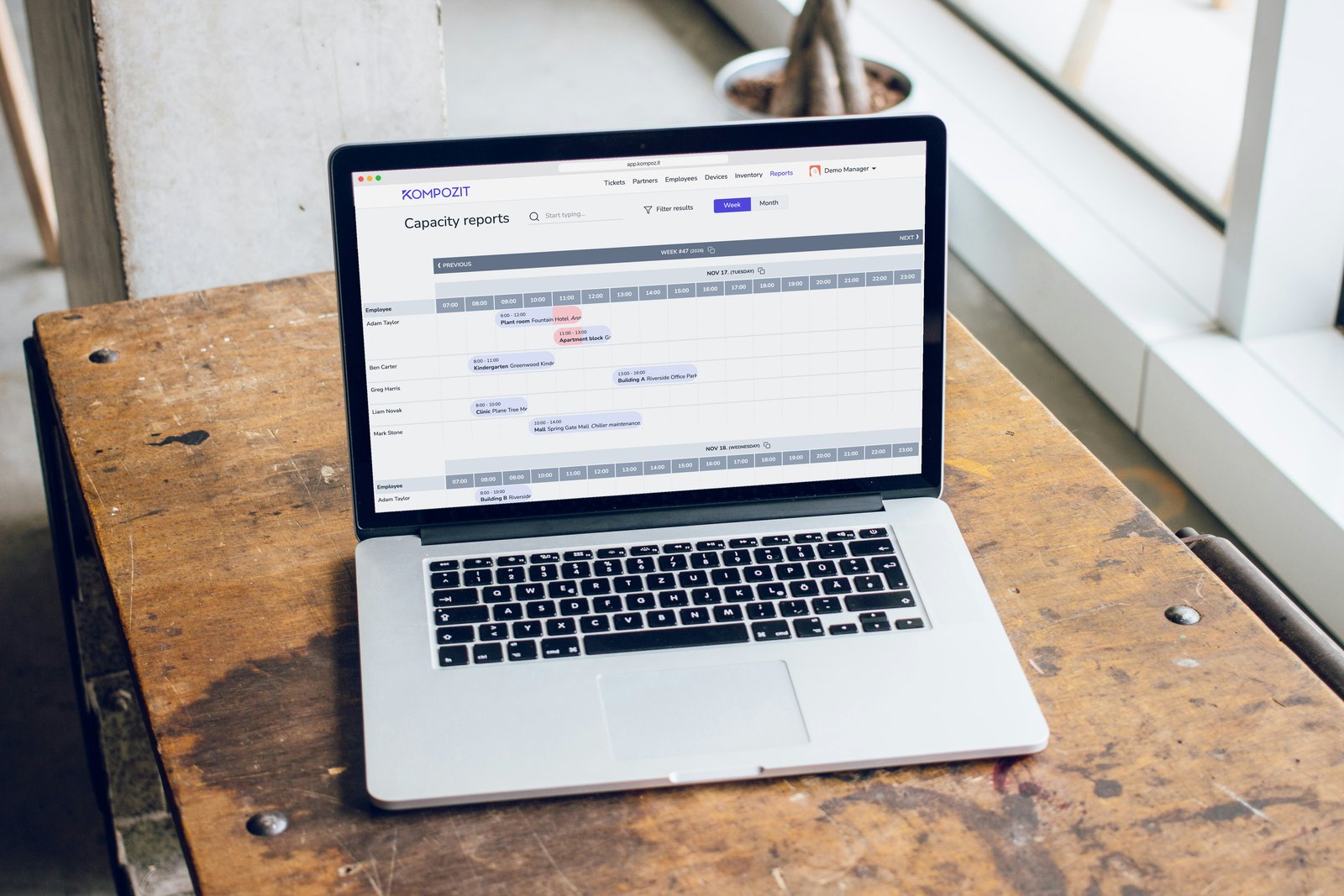
In field service software you see the week at a glance, including, marked in red, when someone is booked in two places at once. In Excel you'd have to spot that yourself.
Excel looks free, but its real cost is labor time. Do the math with your own numbers:
Field service software, by contrast, is usually priced per user per month. Kompozit starts at 15 EUR per user per month and can be tried free for 14 days, no credit card required. For other tools' prices, see our field service software comparison. We cover pricing models and hidden costs in this article.
For what you gain over paper service reports, see this article.
If you'd like to see what your work would look like in field service software, request a free demo.
For a one- or two-person business with few jobs and little equipment, it can be enough for a long time. Once several technicians work in parallel, service reports have to be retyped, or maintenance gets missed, Excel costs more time than it saves and it's worth switching to field service software.
When two or three technicians or crews work in parallel, when service reports are filled in on paper and retyped later, when double bookings or missed maintenance happen, or when it's hard to trace what happened to a piece of equipment during a complaint.
Yes, most field service software can import from Excel. In Kompozit you can import customers, sites, contacts, equipment models, units and inventory with Excel templates, and we help with moving the data over.
Excel looks free, but retyping service reports, coordinating schedules and fixing errors cost labor time. Field service software is usually priced per user per month: Kompozit starts at 15 EUR per user per month and can be tried free for 14 days.
Yes. The software handles the day-to-day work, but reports can be exported to Excel, so you can keep building your usual reports, such as monthly billing, in Excel. The difference is that the data no longer has to be typed in by hand.
