
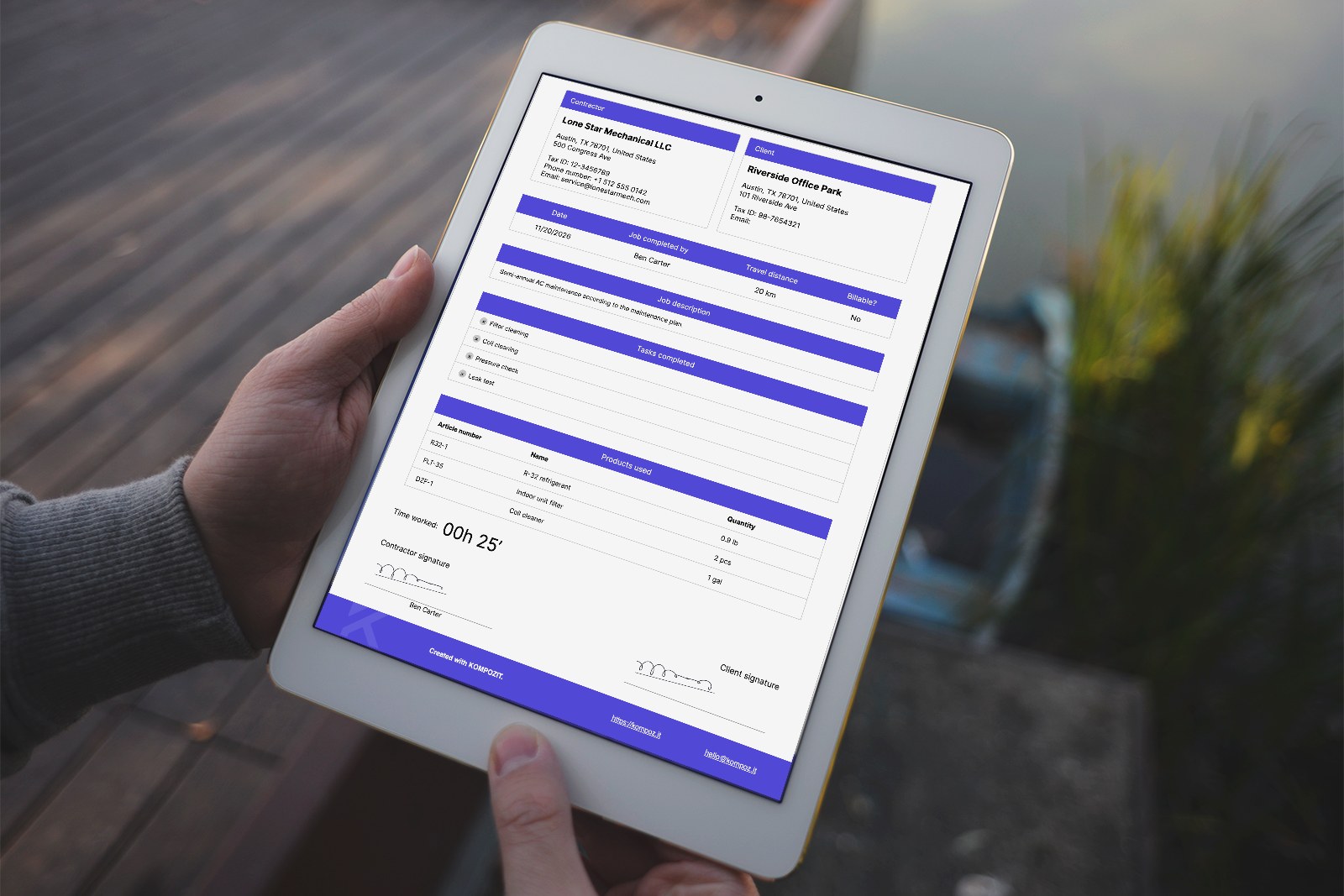
A digital service report is the electronic version of the paper service report: the technician fills it in on a phone or tablet, with photos, labor time and materials used, and the customer signs on screen. For what exactly should go on it, see this article. Here we look at why it pays to switch from paper to digital service reports.
Experience shows that people who try Kompozit's digital service report are much faster by their third or fourth report than they would be filling in the same report on paper.
The reason is simple. Behind the electronic report is a database that fills in a lot of information automatically. You don't need to write down the customer's details, you don't need to record tasks one by one (just tick off the checklist), and you don't need to write the part number and name of every material used (just enter the quantity).
On top of that, you don't need to calculate labor time (the software tracks it), and travel distance is recorded right on the report rather than on a separate sheet.
Because less information has to be entered by hand, there are fewer typos. And problems caused by illegible handwriting don't come up at all.
Digital service reports are stored securely in the cloud. You don't have to worry about losing them or about engine oil spilling over them when you hit that pothole at mile 17.
You can't attach photos to a paper service report, so photos, if they're taken at all, usually stay on the technician's phone or end up in a messaging group at best. That makes them hard to find, and they never reach the customer.
With a digital service report you can easily take before and after photos, or even videos, and they reach the customer together with the report.
Digital service reports are available anywhere, anytime, so both field technicians and office staff have instant access to important information. In the Kompozit mobile app, the report can be filled in without signal, for example in a basement or mechanical room, and the data syncs automatically as soon as you are back online. We explain how this works in practice in this article.
The electronic service report is filled in and submitted in real time, right from the job site. That means admin tasks like invoicing or restocking can start immediately.
At first glance, a monthly software subscription may look more expensive than paper and printing. But once you factor in the cost of handling, storing and mailing paper, the picture looks different.
You print less paper, and your customers throw less paper away. Your company's footprint shrinks, and everyone's happy.
Few people think about this, but it looks much more modern and professional when the customer gets the service report by email instead of a carbon copy they don't know what to do with.
The customer can also rate the service right there on the phone, or later through a link in an email. That lets you collect valuable customer feedback you can use in your marketing too.
If you currently track jobs in Excel, first look at when it's worth switching to field service software.
If you want to digitize your service reports or try Kompozit, request a free demo.
A digital service report is the electronic version of the paper service report. The technician fills it in on a phone or tablet, recording the work performed, labor time, materials used and photos, and the customer signs on screen. The finished report goes to the customer as a PDF, and the office sees it right away.
Not necessarily. In the Kompozit mobile app, the service report can be filled in without signal, photos can be taken and the customer can sign, for example in a basement or mechanical room. As soon as you are back online, the data syncs automatically.
Yes. The finished report becomes a numbered PDF that the customer receives by email and that you can print or archive at any time. Reports can be downloaded one by one or all at once in a ZIP file.
Service report software is usually priced monthly. Kompozit starts at 15 EUR per user per month, with a 10% discount for yearly billing, and you can try it free for 14 days without a credit card.
You can start right away: after signing up, the web app and the mobile app are ready to use. You can import your existing customer, equipment and materials lists from Excel, with our help. Technicians are usually faster than on paper after just a few reports.
