
You can work with digital service reports without signal if the app has an offline mode: the technician fills in the service report, takes photos, tracks labor time and gets the customer's signature, and the phone uploads the data once it's back online. The key is to make the job available offline while you still have signal.
Anyone who works in the field knows that a good part of the work happens where the phone gets no signal:
These are exactly the places where most of the equipment that needs servicing or maintenance is. It especially affects elevator contractors, fire and security companies and gate technicians, who work in shafts, basements and underground garages every day.
If the service report app is useless without internet, the technician has two bad options. Either they walk out to an area with signal for every step, or they take notes on paper and retype them later. That brings back exactly the problems you switched to digital service reports to solve: forgotten materials, estimated labor time, photos stuck on the phone, and the signature you'll ask the customer for "later".
Not every offline mode is the same. Some apps only show previously opened data without signal, others are fully usable. Check:
The best test is simple: put your phone in airplane mode and try to complete a full job.
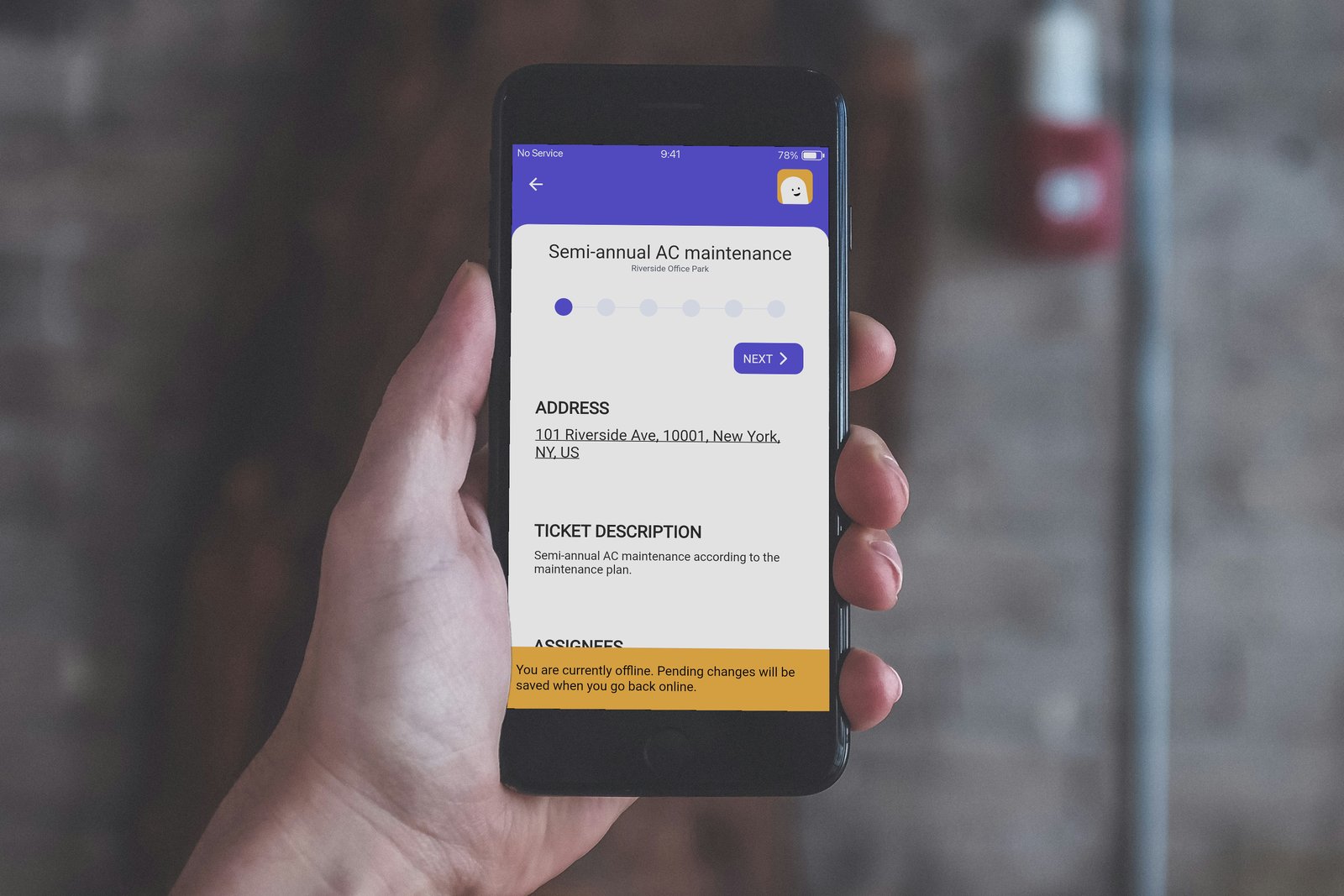
Without signal, Kompozit shows that you're in offline mode: you can fill in the service report as usual, and the changes are saved once you're back online.
For what should go on a service report, see this article.
Offline capabilities vary widely between tools: some cover only part of the job, others don't mention offline mode at all. Based on the vendors' public information, we compared them here. For other features worth looking for in field service software, see this article.
If you'd like to try how Kompozit works without signal, request a free demo.
It depends on the app. Some only show previously opened data without signal, others are fully usable. In Kompozit, the service report for jobs set to offline mode in advance can be filled in without signal: you can track labor time, record materials and photos, and get the customer's signature.
The phone stores it and uploads it to the system automatically as soon as there's an internet connection again. Labor time is recorded with the actual start and end times, even if the sync happens hours later.
In Kompozit, a job set to offline mode is locked to that technician, so nobody else can edit it while they work on it offline. That way two different versions never conflict.
Yes. In Kompozit, while still online, the technician swipes the job left in the job list and makes it available offline with one tap. It's best to do this in the morning for the day's jobs, before heading to a basement or mechanical room.
