
Choose FSM software by first mapping your processes and requirements, deciding what type of solution you need, testing two or three tools in the field, and then comparing integrations, contract terms and total cost. Below we go through the selection step by step. For the features to look for, see this article.
Field service management (FSM) software makes it easier to organize site surveys, installation, service and maintenance work at customer sites.
Before looking at options, get a clear picture of what your business needs. Map your current workflows from service request to invoice, identify where information or time gets lost, and consider the needs of your technicians and your customers.
Based on your processes, list your requirements and prioritize them: what is essential, and what would be nice to have? Think about the future too: are you planning new services, a bigger team or new locations? The software has to meet tomorrow's needs, not just today's.
Service and maintenance companies typically use one of three types of solution. Some create digital service reports with a forms app: cheap and fast, but it doesn't handle scheduling, equipment or reports. Others use the service module of an ERP, which works if you already have that system but is rarely built for mobile field work. And then there is dedicated FSM software, built to cover the whole field service process. If you currently work in Excel, this article helps you decide when it's time to switch.
It is rarely mentioned, but user experience is one of the most important criteria. Every unnecessary tap leads to a team that pushes back on the rollout, looks for workarounds or fills in service reports incompletely.
Make sure the software has a clean, simple mobile app. A stripped-down web interface no longer cuts it. Try the app in the field: does it hold up in every condition? Is it easy to use in the January cold, or are the small buttons impossible to hit with frozen fingers? Is there an offline mode, or does the app become useless once you're in an underground garage? Put your phone in airplane mode and see whether you can fill in a service report, take photos and get a signature.
Also check whether the office and the field team see each other's updates in real time, and how easy scheduling and dispatching are.
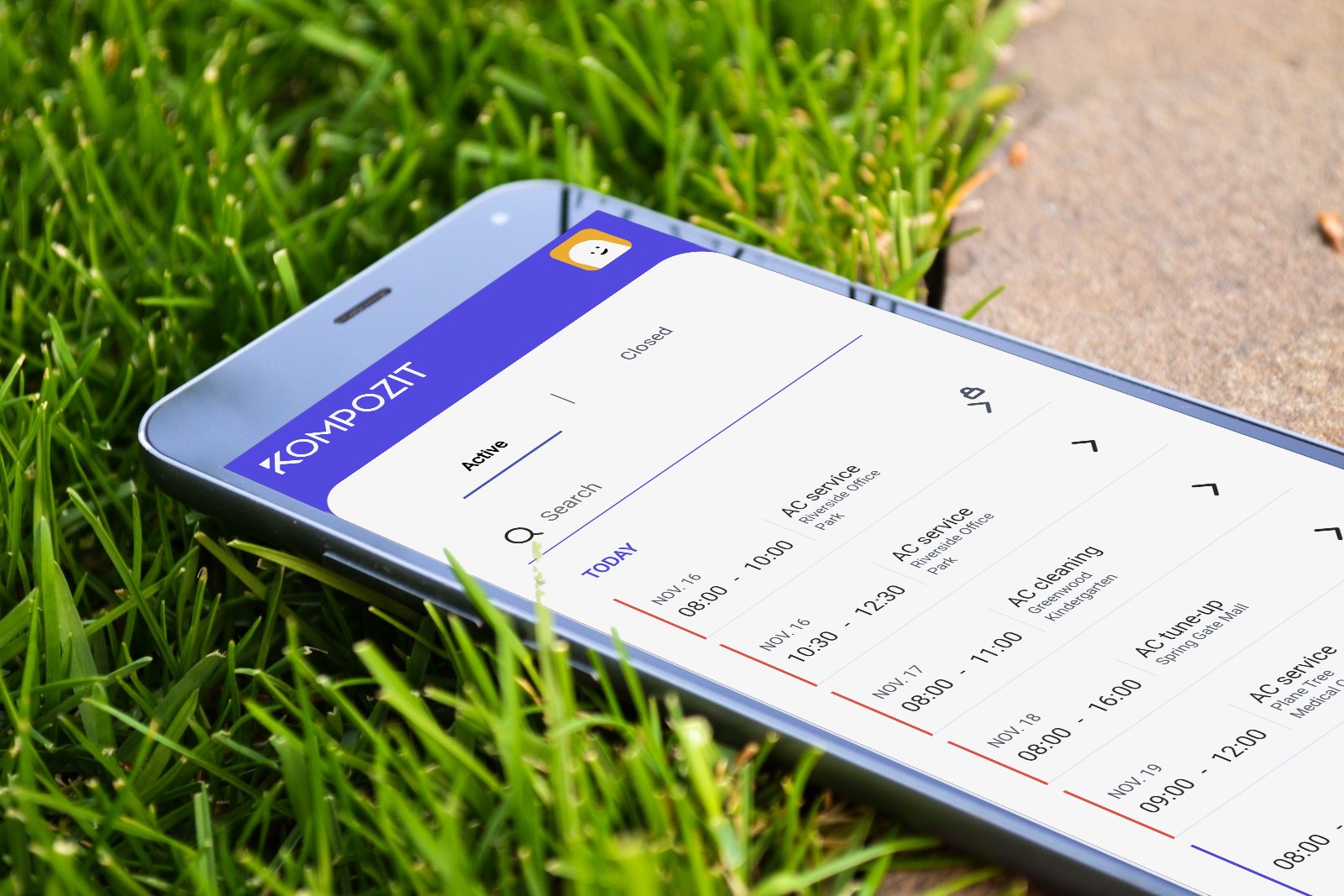
When designing Kompozit, we made sure it's easy to use even for people who aren't used to mobile devices.
Field service software needs to connect smoothly with your other systems, such as your CRM, inventory or accounting software. Look for two-way data sync so you avoid time-consuming, error-prone manual copying.

Kompozit is already connected with ERP systems (SAP, Odoo), CRMs (Salesforce, HubSpot) and accounting software (QuickBooks, Xero, FreshBooks).
As your company grows, the software has to grow with it. Look for a scalable, customizable solution that can be extended with new features as needed.
Ask how the vendor handles feature requests. Avoid vendors who bill you for every extension and then sell it to their other customers. The fair approach is to at least split those costs with you. The exception, of course, is functionality built exclusively for your business.
The terms tell you a lot about how much you can rely on the vendor. Check who runs the software, what annual uptime and bug-fix times they commit to, how often backups are made, and whether you can export all your data including files if you switch later. From December 16, 2026, Kompozit commits to 99.5% annual uptime and hands over the full database free of charge at any time.
Don't just look at the monthly fee. Calculate the price for your team size including tax, and see what it will be as the team grows. Ask about setup fees, the cost of custom development and extra storage, and whether a credit card is needed for the trial. We cover pricing models and hidden costs in this article. We compared the prices of popular tools here.
Good support and good training materials are key to successful adoption. When you get stuck, the vendor should respond quickly and fix issues fast. And if they provide a good manual and tutorials, you often won't need support at all, which is good for both sides. Start with one crew and bring the others on board based on their experience. This article has tips for that.
If you'd like to see how FSM software can help your business, or want to try Kompozit, request a free demo.
Start by mapping your current workflows and listing your requirements. Decide whether you need a forms app, an ERP module or dedicated FSM software, get demos of two or three tools and test them in the field, including without signal. Finally, compare integrations, terms and total cost.
A forms app is cheap and quick to set up, but it doesn't handle scheduling, equipment or reports. The service module of an ERP is a good fit if you already use that system, but it is rarely built for mobile work. Dedicated FSM software covers the whole field service process, with a mobile app and offline mode.
With cloud-based FSM software you can start right away: Kompozit is usable as soon as you sign up, and you can import your existing customer, equipment and materials lists from Excel, with our help. It is best to start with one crew and bring the others on board over a few weeks.
Check who runs the software, what annual uptime and bug-fix times they commit to, how often backups are made, whether you can export all your data including files, and what happens to your data if you cancel or the service shuts down.
